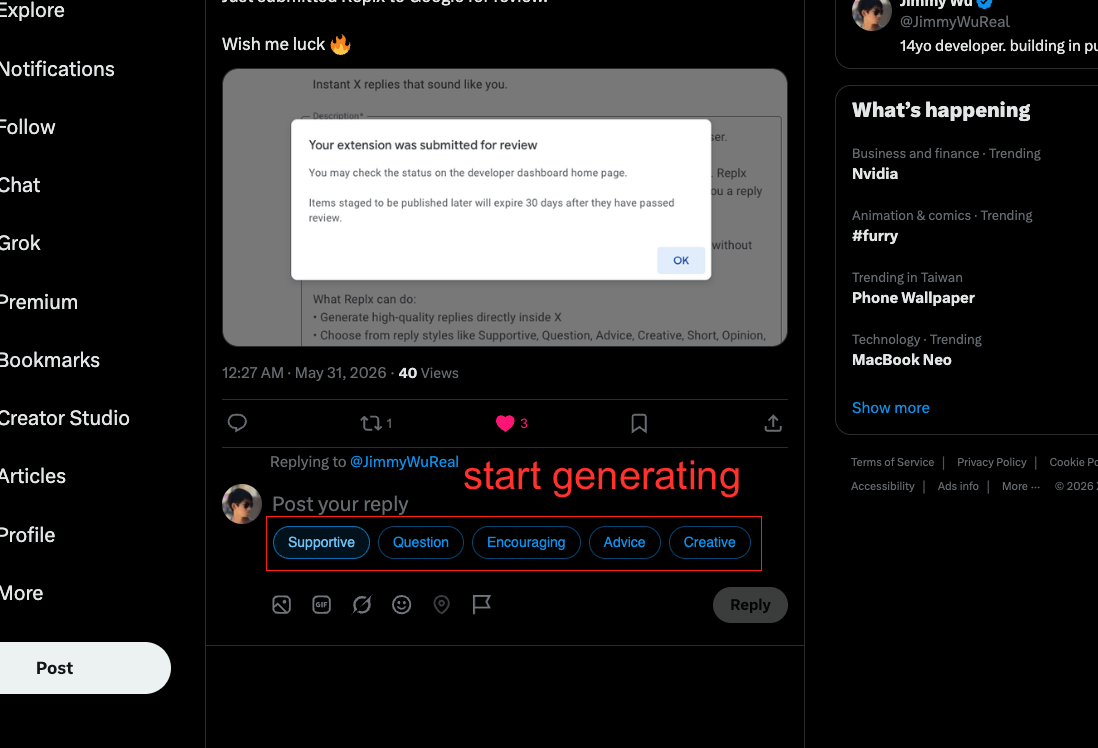
Install the extension.
Add Replx to your browser first so the rest of the setup flow has somewhere to connect.
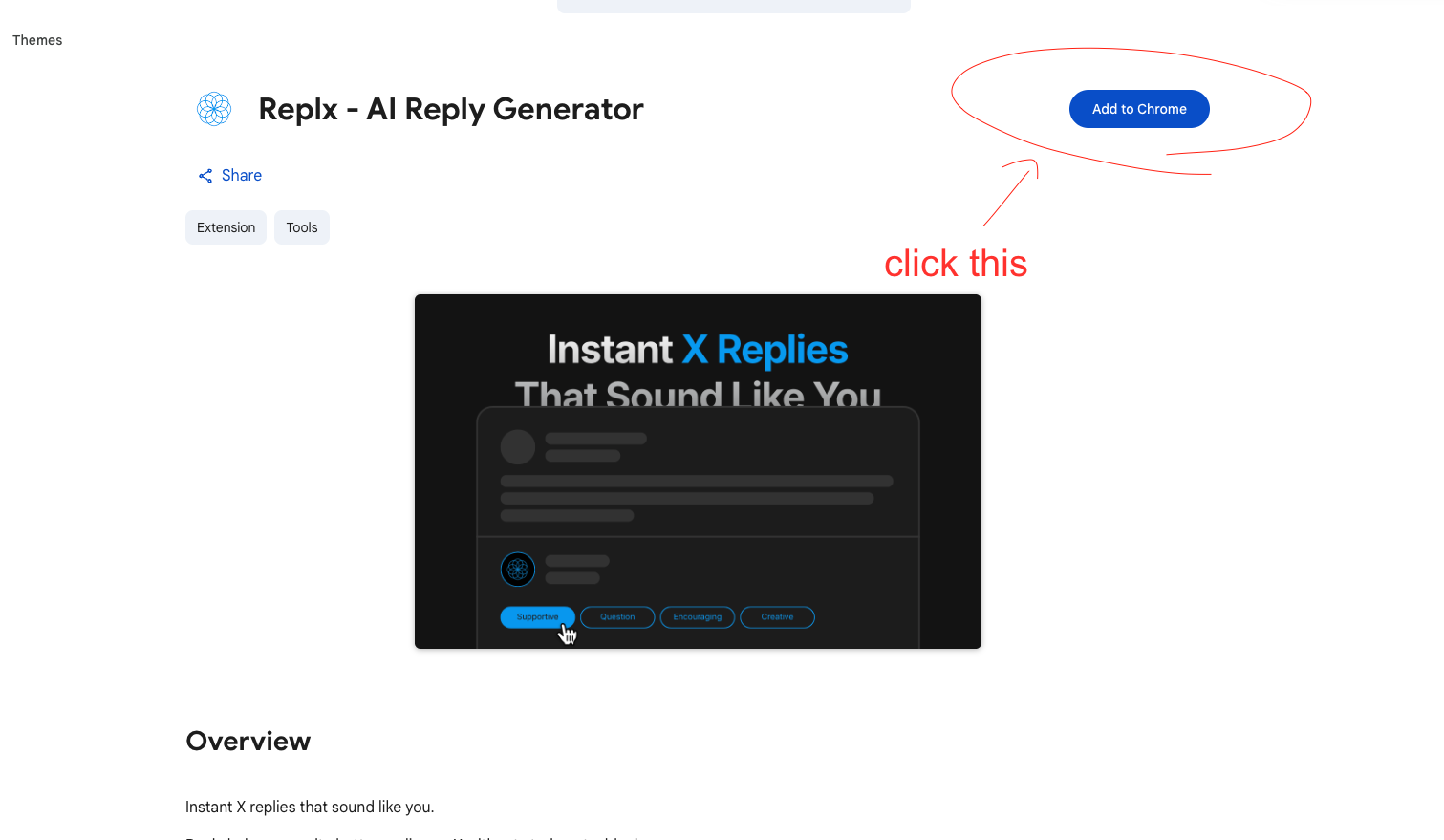
Create an account and copy your key.
Create your Replx account, open Account, and copy the extension key shown at the top of the page.
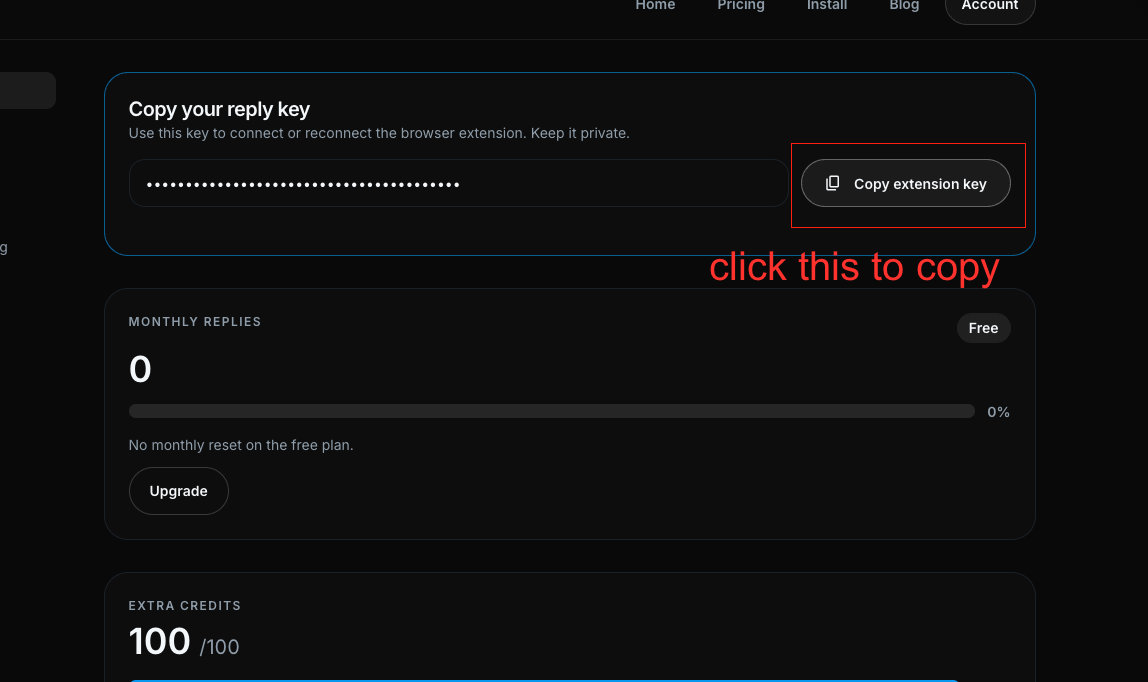
Sign in to the extension.
Open the Replx extension inside X, paste your key into the sign-in field, and connect it to your account.
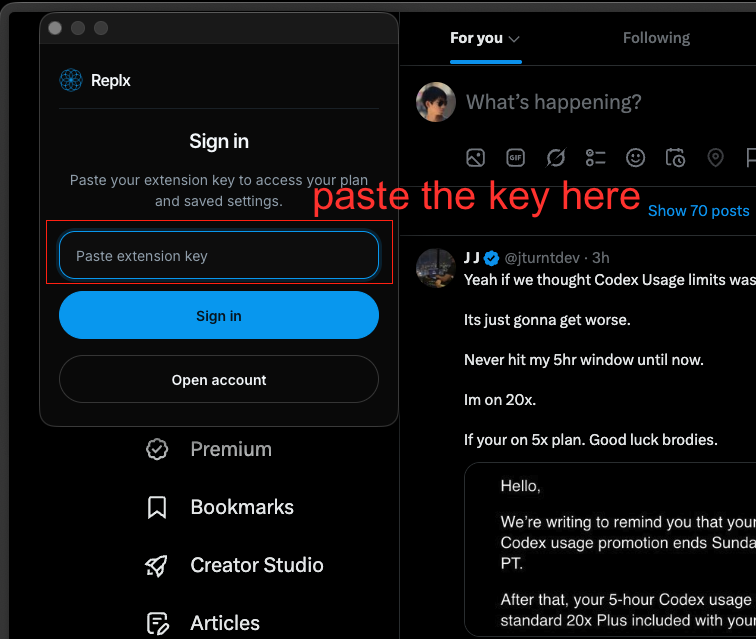
Start replying.
Once signed in, choose a reply style under any X reply box and generate replies inside your real workflow.